Edovia updates Screens for iPhone Duo
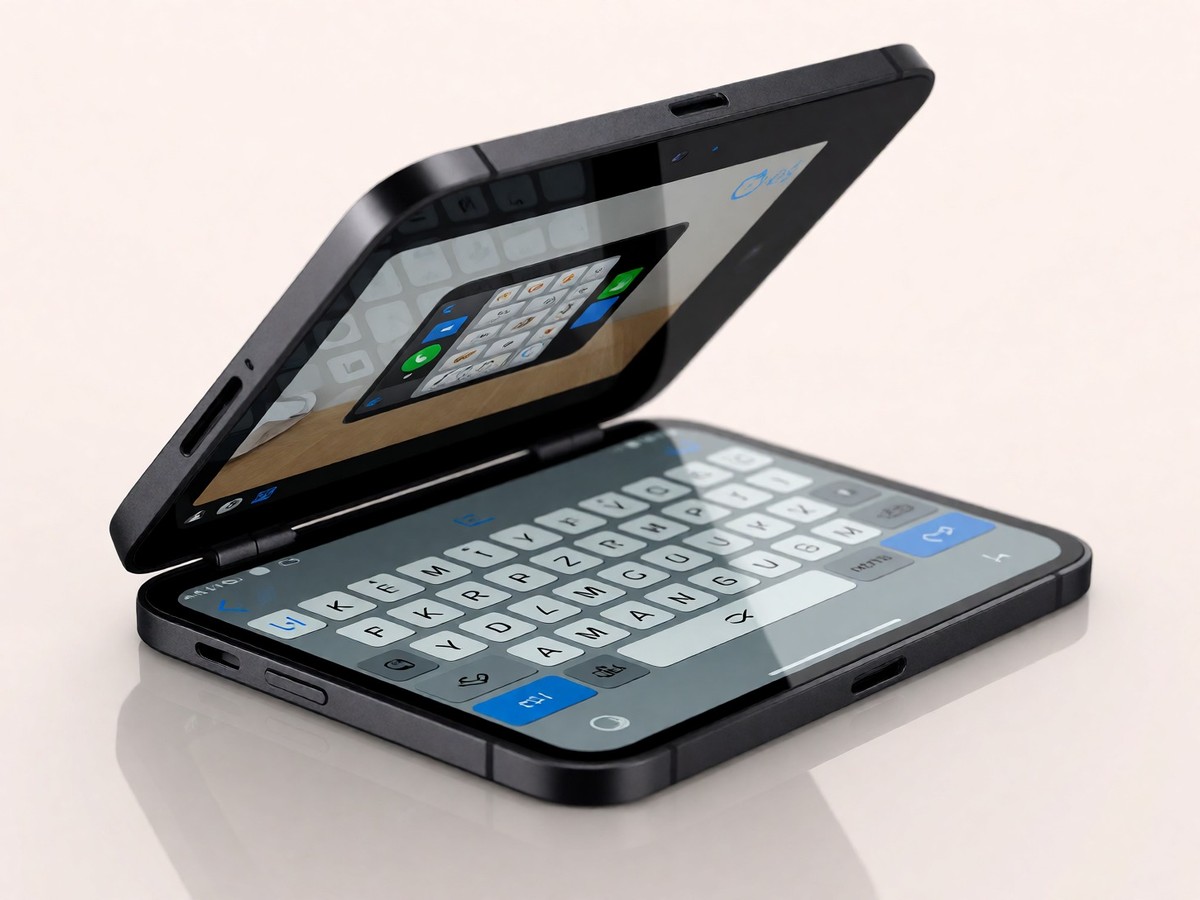
Edovia’s latest update, version 5.10.6, turns the iPhone Duo into an itty bitty MacBook when you use the device in a partially open, clamshell configuration. I find the new Laptop Mode useful because it displays your remote desktop on the upper half of the screen and provides a keyboard with a trackpad below. The keyboard supports multiple languages. You can swipe down on keys to see alternative characters just like on an iPad. The trackpad works with Screens’ gestures. When you fold the phone halfway, the app uses Laptop Mode to show your remote desktop on the upper half of the screen and provides a keyboard and trackpad on the bottom half. This software allows you to control your computer from an iPhone, an iPad, another Mac, or even the Vision Pro. I think the interface works well for those who do not need to type anything lengthy or those who are used to typing on a screen. This tiny typing mode utilizes the split screen to provide remote desktop access and input tools in one compact view. The update turns half the display into a keyboard for tiny typing. This setup makes remote desktop control on a foldable device much easier for quick tasks.
| Feature | Detail |
|---|---|
| App Version | 5.10.6 |
| Compatible Devices | iPhone, iPad, Mac, Vision Pro |
| Input Mode | Laptop Mode |
Mobile interface limitations
The software keyboard and trackpad are not a complete replacement for actual physical keyboards and trackpads. I find the screen-based input insufficient for heavy workloads because it lacks the tactile response of real hardware. It works well in a pinch. The iPhone Duo’s unique form factor is very different from previous iPhones. This shape presents design difficulties for mobile applications. Adam Mosseri said that it will be "pretty challenging" to design Instagram "in a way that feels great" for the device. I would suggest using this mode for quick tasks instead of heavy typing sessions. This utility requires the device to be partially open. I find that the software remains useful for those who want to manage their computer easily while on the go. I prefer the app for light navigation over intense text entry.